
Description
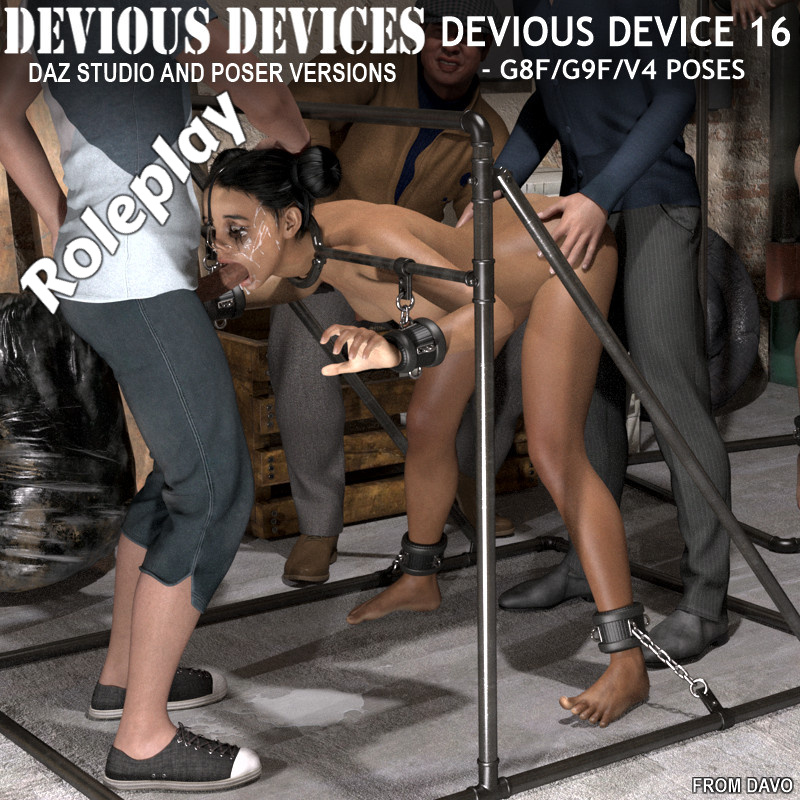
Product: Roleplay Devious Devices 16 for Daz Studio
Vendor/Creator: Davo or Davorama
store support forum: https://www.renderotica.com/community/forums.aspx?g=topics&f=2878
Copyright (c) 2026 davo. All rights reserved. Not intended for redistribution.
----------------------------------------------------------------------------------------------------------------------------------
A modern 'stocks' roleplay restraint device for your favorite character
-----------------------------------------------------------------------------------------------------------------------------------
SPECIAL NOTE 1: Posing for Genesis 8 / 9 /V4 figures is based on the STANDARD, NON-MORPHED OR ALTERED figures. If you have applied morphs or altered body shapes or proportions, you must manually adjust the character and device positions if connection points are not touching. If you do have to alter the poses, you can do this to one side of the device and one side of your character then use the symmetry command to mirror the result to the other side.
-----------------------------------------------------------------------------------------------------------------------------------
SPECIAL NOTE 2: Materials are set for Iray for Daz Studio and Firefly for Poser
-----------------------------------------------------------------------------------------------------------------------------------
-----------------------------------------------------------------------------------------------------------------------------------
Daz Studio System Requirements:
- PC and Mac compatible
- Requires Daz Studio 4+ (rigged using Daz Studio 4.23)
- All files in .duf, .ds*, .png and .jpg format.
Poser System Requirements:
- PC and Mac compatible
- Backwards compatible to Poser 11
- All files in .obj, .cr2, .png and .jpg format.
----------------------------------------------------------------------------------------------------------------------------------
Descriptions below for Daz Studio, Poser version is similar.
----------------------------------------------------------------------------------------------------------------------------------
Figure Library Descriptions:
- Device 16: This modern all metal apparatus resembles a new age stock. The device has many size/shaping morphs to adjust width and length of parts so you can create custom fits and poses for your characters. There are repositionable chains and mounts for the hands and feet, a working collar/yoke piece that opens and closes and yoke bar that moves up and down.
Read First icon in the device and pose folders have useful information pertaining to folder content, please read them.
- Collar Bolt: This is an add-on bolt that can be used to lock the collar/yoke shut. It self parents to the yokebar and has a morph to slide the nut back and forth along the bolt. Select the Device 16 figure then add the bolt, it will self position and parent in the correct location. A combo figure is provided that has the bolt already applied to the Device if you want to skip the extra step of adding it.
- Device 16 Bolt Combo: This is the pre-assembled device and bolt combo, use this one to save time.
--------------------------------------------------------------------------------------------------------------------------------------------------------
Props Libraries:
Basic Scifi Cuffs Library:
V4, M4 (G8F and G9F in the DS version) These libraries contain smart prop cuffs to use in conjunction with the Bondage Furnishings Packs and other various Davo products. These smart props will automatically position and parent to your characters wrists, ankles and neck.
To apply the cuffs, click on your character in your preview window, then click to add each cuff, they will position automatically.
--------------------------------------------------------------------------------------------------------------------------------------------------------
Pose Folders
SPECIAL NOTE FOR POSING: Posing for Genesis 8/9/V4 figures is based on the STANDARD, NON-MORPHED OR ALTERED figures. If you have applied morphs or altered body shapes or proportions, you must manually adjust the character and device positions if connection points are not touching. If you do have to alter the poses, you can do this to one side of the device and one side of your character then use the symmetry command to mirror the result to the other side.
PLEASE NOTE: There is an information READ FIRST icon in the folder that has some general info about using the device.
-----------------------------------------------------------------------------------------------------------------------------------
A more detailed readme file is included in the product zip file.
Application Compatibility
Figure Compatibility
| Daz Figures | Generation 4 | Victoria 4 |
| | Genesis 8 | Genesis 8 Female |
| | Genesis 9 | Genesis 9 Female |
| Other Notes |
| (Poses for on G8F,G9F and V4. Product is configurable to work with any humanoid figure) |
Product Requirements
| Other Notes |
| (Genesis 8/9 and V4 base figures available at daz3d) |