Renderotica
»
Store Products
»
Product Support
»
Meipe
»
--- Usibg a wet shell on Cluster Bomb, Breastacular, Golden Palace ---
Rank: Advanced Member
Joined: 9/15/2012(UTC)
Posts: 1,580
Thanks: 1331 times
Was thanked: 1513 time(s) in 750 post(s)
|
This is a small tutorial to set up some of my grafts in order to use any wet shell (or dirt shell, or whatever) on them... Meipe attached the following image(s):
|
 2 users thanked Meipe for this useful post.
|
|
|
|
Rank: Advanced Member
Joined: 9/15/2012(UTC)
Posts: 1,580
Thanks: 1331 times
Was thanked: 1513 time(s) in 750 post(s)
|
First, setup your figure as usual. Then load your wet shell on it... Meipe attached the following image(s):
|
1 user thanked Meipe for this useful post.
|
|
|
|
Rank: Advanced Member
Joined: 9/15/2012(UTC)
Posts: 1,580
Thanks: 1331 times
Was thanked: 1513 time(s) in 750 post(s)
|
Select the shell, and in the surfaces tab, select the surfaces created in front of the grafts. They are 3dl shaders, so load any IRAY shader preset on them Meipe attached the following image(s):
|
1 user thanked Meipe for this useful post.
|
|
|
|
Rank: Advanced Member
Joined: 9/15/2012(UTC)
Posts: 1,580
Thanks: 1331 times
Was thanked: 1513 time(s) in 750 post(s)
|
Select the torso surface of the shell. Right-click -> copy surface.
Select again the grafts surfaces of the shell. Right click -> paste surface Meipe attached the following image(s):
|
1 user thanked Meipe for this useful post.
|
|
|
|
Rank: Advanced Member
Joined: 9/15/2012(UTC)
Posts: 1,580
Thanks: 1331 times
Was thanked: 1513 time(s) in 750 post(s)
|
Now, with the grafts surfaces of the wet shell selected, set UVs to default. Done! Meipe attached the following image(s):
|
|
|
|
|
|
Rank: Advanced Member
Joined: 7/6/2014(UTC)
Posts: 220
Thanks: 13 times
Was thanked: 46 time(s) in 36 post(s)
|
Thanks for the tutorial!
That is definitely something I will try out.
|
|
|
|
|
|
Rank: Member
Joined: 2/13/2016(UTC)
Posts: 29
Thanks: 13 times
Was thanked: 17 time(s) in 7 post(s)
|
I had to help someone out in the forum with this exact problem! I'm glad the method I shared is the same one used by the official golden god Meipe.
|
|
|
|
|
|
Rank: Member
Joined: 3/24/2019(UTC)
Posts: 17
Thanks: 19 times
Was thanked: 1 time(s) in 1 post(s)
|
Thanks for the detailed guide, Meipe, its work great!
Also, why do you have to load a random Iray shader on those surfaces?
what does it do?
|
|
|
|
|
|
Rank: Advanced Member
Joined: 9/15/2012(UTC)
Posts: 1,580
Thanks: 1331 times
Was thanked: 1513 time(s) in 750 post(s)
|
It's just that you can't paste an IRAY shader on a 3DL shader, so you need to have loaded any IRAY shader first.
|
1 user thanked Meipe for this useful post.
|
|
|
|
Rank: Advanced Member
Joined: 7/6/2014(UTC)
Posts: 220
Thanks: 13 times
Was thanked: 46 time(s) in 36 post(s)
|
Thanks again for the mini-tutorial. Works perfectly with Breastacular as well...
|
1 user thanked Optika for this useful post.
|
|
|
|
Rank: Newbie
Joined: 4/10/2020(UTC)
Posts: 1
|
Hello,
I'm trying your tutorial with Lucy (https://www.daz3d.com/sc-lucy-for-teen-josie-8) but it does not work.
This is the result:
These are my settings:
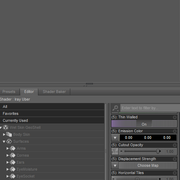
Any idea why this is not working?
|
|
|
|
|
|
Rank: Advanced Member
Joined: 6/14/2017(UTC)
Posts: 159
Thanks: 177 times
Was thanked: 69 time(s) in 41 post(s)
|
Originally Posted by: Optika 
Thanks again for the mini-tutorial. Works perfectly with Breastacular as well...
Very nice work! I have never been a fan of "the wet look" because it looks too wet/fake. This picture is fantastic though, What wet shell did you use?
|
|
|
|
|
|
Rank: Advanced Member
Joined: 7/6/2014(UTC)
Posts: 220
Thanks: 13 times
Was thanked: 46 time(s) in 36 post(s)
|
Thank you!
Actually I used the exact same wet skin geoshell that meipe mentioned/used in his above tutorial. The product is a hair but also contains a wet skin shader. Find it here: https://www.daz3d.com/short-wet-hair-for-genesis-8-male-s-and-female-s
But I would say that light is at least as important as the geoshell. I've used the bokeh background and the spotlight from https://www.daz3d.com/bokeh-studio-hdr
|
3 users thanked Optika for this useful post.
|
|
|
|
Rank: Newbie
Joined: 3/9/2015(UTC)
Posts: 8
Thanks: 2 times
Was thanked: 3 time(s) in 2 post(s)
|
Thanks a lot for that support.
And of course, thanks for that graft; It's everything I asked, and I mean it literally: I remember to have asked a graft like it on that forum ^^,
|
|
|
|
|
|
Rank: Member
Joined: 3/24/2019(UTC)
Posts: 17
Thanks: 19 times
Was thanked: 1 time(s) in 1 post(s)
|
Originally Posted by: Optika
May I ask what is your render setting please?
I couldnt make my render look as sharp as your, really good work there Optika.
|
|
|
|
|
|
Rank: Advanced Member
Joined: 7/6/2014(UTC)
Posts: 220
Thanks: 13 times
Was thanked: 46 time(s) in 36 post(s)
|
Actually, render settings are pretty much default. I could try to export and forward them if you are interested.
Btw.: Guess you did sent me a PM as well. Was not able to reply as the site always reported that your internal mailbox is full. You might look into this.
|
1 user thanked Optika for this useful post.
|
|
|
|
Rank: Member
Joined: 3/24/2019(UTC)
Posts: 17
Thanks: 19 times
Was thanked: 1 time(s) in 1 post(s)
|
Originally Posted by: Optika
Actually, render settings are pretty much default. I could try to export and forward them if you are interested.
Btw.: Guess you did sent me a PM as well. Was not able to reply as the site always reported that your internal mailbox is full. You might look into this.
Default settings, how is that possible?
Iam sorry if this sound too much, but may I have a look at your scene please?
I would like to see how you set up the light, how to position your character etc...
You can change your character to default g8f or a cube or anything, I dont mind, I just want to know how to make my render to look as good as your 
|
|
|
|
|
|
Rank: Advanced Member
Joined: 7/6/2014(UTC)
Posts: 220
Thanks: 13 times
Was thanked: 46 time(s) in 36 post(s)
|
Originally Posted by: WanderingDemon
Originally Posted by: Optika
Actually, render settings are pretty much default. I could try to export and forward them if you are interested.
Btw.: Guess you did sent me a PM as well. Was not able to reply as the site always reported that your internal mailbox is full. You might look into this.
Default settings, how is that possible?
Iam sorry if this sound too much, but may I have a look at your scene please?
I would like to see how you set up the light, how to position your character etc...
You can change your character to default g8f or a cube or anything, I dont mind, I just want to know how to make my render to look as good as your
Well, it is really no rocket science. I've put together a series of images to show you the effects of particular elements. Try this and let me know if you have any difficulties.

- Pic one shows a plain vanilla G8F. You should get the same result once starting DAZ, adding a G8F and doing an iRay render.
Render < 1min
- Only change from 1 to 2 is the addition of Bokeh Studio from Colm Jackson: https://www.daz3d.com/bokeh-studio-hdr
The product is easy to use, everything is located in Light Presets/Bokeh Studio.
Here I chose one of the elements from the subfolder "Bokeh" and added the "Bokeh HDR 3a spotlight" from the subfolder "lights".
After this step the skin looks already much better.
Render < 2min
- In this step I just changed from the standard perspective view to the "Mid Body Camera" which becomes available once you add the Bokeh to your scene. I only used the standard viewport controls to get the figure positioned. No changes to the camera or anything else made.
Render < 2min
- In this step I just replaced G8F with "my" character, posed it and rotated it to my liking. Stuff involved in this process:
Base character: Lanya from Jessai: https://www.daz3d.com/lanya-for-cj-8
Base figure: CJ 8 as it it used by the above character https://www.daz3d.com/cj-8
Posing: To easily let the character face the camera I often use https://www.daz3d.com/look-at-me-ii-pose-control
Obviously the figure "wears" Breastacular and Golden Palace fom Meipe available here
Other morphs: There are some nice free morphs available from felldude over at Renderosity. I think I've used "real deal" and "natural breast morphs" with this image.
The slip is from https://www.daz3d.com/show-your-bra-2-for-genesis-8-female-s not to forget.
That's basically it.
So kudos for the look of the image in step 4 goes to all the vendors of the stuff mentioned above.
Render stopped at 80% after approx 3 min.
- In this step I finally added the wet geo shell from https://www.daz3d.com/short-wet-hair-for-genesis-8-male-s-and-female-s
This is the same product as meipe used in the first post of this thread and I applied it exactly how meipe described. If you don't own a wet shell yet I really recommend getting the Short Wet Hair from Linday as it provides both the hair as well as a body geoshell.
Render stopped at 75% after approx 4 min.
Hope this helps.
P.S.
All render times are on Mac without any nice nVidia card with image size 768x1.000px (that's my usual test render size). So all CPU rendering without GPU acceleration. Your renders should be way faster!
|
3 users thanked Optika for this useful post.
|
|
|
|
Rank: Advanced Member
Joined: 7/6/2014(UTC)
Posts: 220
Thanks: 13 times
Was thanked: 46 time(s) in 36 post(s)
|
Forgot the hair. That's https://www.daz3d.com/ac...esis-8-males-and-females from Neftis3D. No wet hair but it suits a character with wet skin very well imo.
|
1 user thanked Optika for this useful post.
|
|
|
|
Rank: Member
Joined: 3/24/2019(UTC)
Posts: 17
Thanks: 19 times
Was thanked: 1 time(s) in 1 post(s)
|
Thanks for the detailed answer optika, very much obliged it, Iam gonna try this out tonight!
|
|
|
|
|
|
Renderotica
»
Store Products
»
Product Support
»
Meipe
»
--- Usibg a wet shell on Cluster Bomb, Breastacular, Golden Palace ---
Forum Jump
You cannot post new topics in this forum.
You cannot reply to topics in this forum.
You cannot delete your posts in this forum.
You cannot edit your posts in this forum.
You cannot create polls in this forum.
You cannot vote in polls in this forum.