Renderotica
»
Store Products
»
Product Support
»
Meipe
»
issue with genesis 8.1 when trying to use golden palace and headlight at the same time
Rank: Newbie
Joined: 12/16/2021(UTC)
Posts: 7
Was thanked: 3 time(s) in 3 post(s)
|
when I try to use both geographs at the same time in a figure something weird happens and is that one of them just goes completly white with no textures, also the one that appears white depends on the shell that is on top, here are some image examples 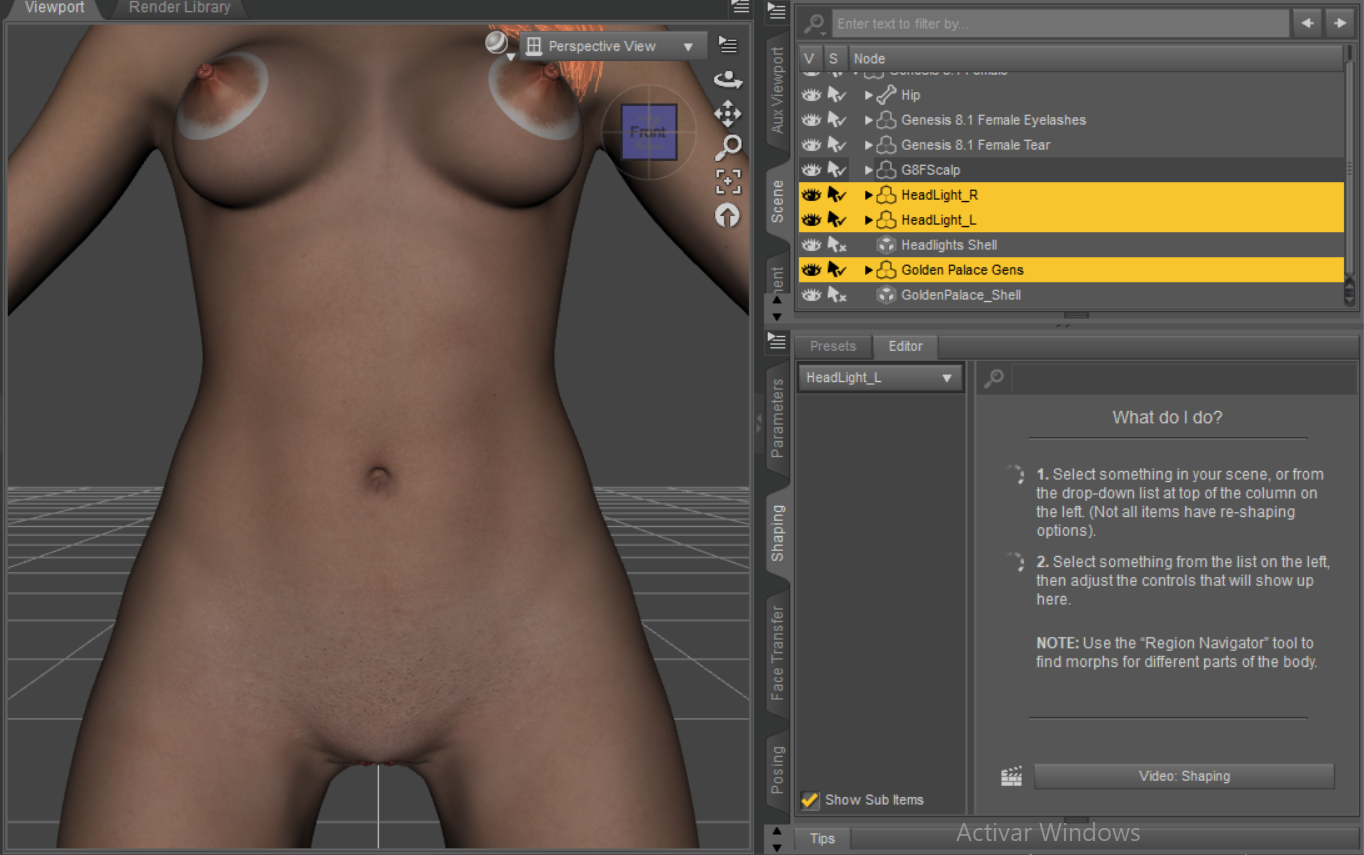 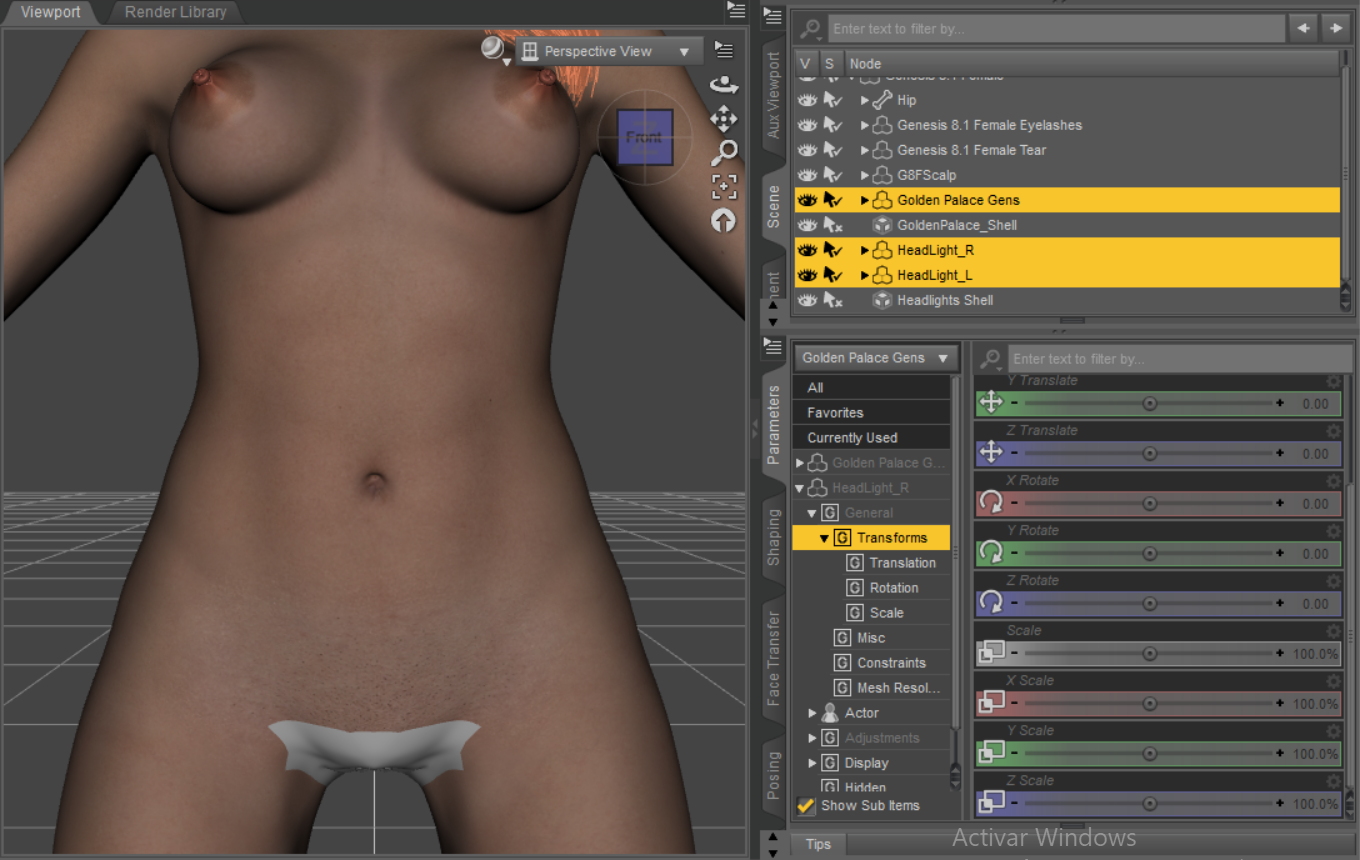 this problem persists even if I use the shell fix v3, and in fact it gets worse the more shells I use, like in this image where I added another 4 shells to push it to the max and they all broke even after using the shell fix v3 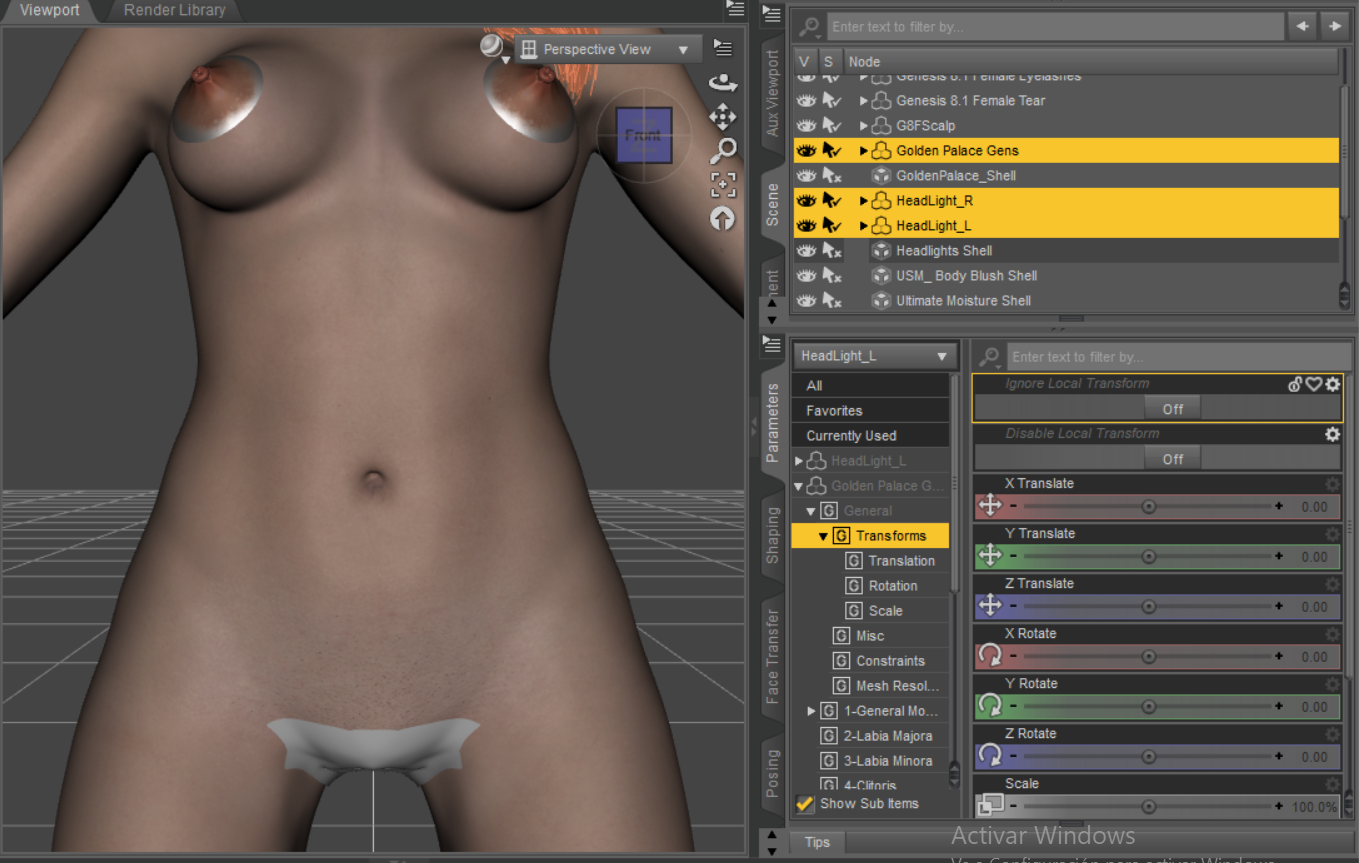 i dont know if this problem also exists in genesis 8 I havent really try it but it happens in 8.1 all the time but only with golden palace and headlights other geoshells work without issue
|
|
|
|
|
|
Rank: Advanced Member
Joined: 12/10/2017(UTC)
Posts: 90
Thanks: 136 times
Was thanked: 48 time(s) in 39 post(s)
|
Sometimes shell fix scripts come with geografts. If that doesn't fix the issue, you can go into the surfaces for each geometry shell and turn off the opacity of surfaces that you don't want the shell to affect.
|
|
|
|
|
|
Rank: Newbie
Joined: 12/16/2021(UTC)
Posts: 7
Was thanked: 3 time(s) in 3 post(s)
|
Originally Posted by: gmretoica623 
Sometimes shell fix scripts come with geografts. If that doesn't fix the issue, you can go into the surfaces for each geometry shell and turn off the opacity of surfaces that you don't want the shell to affect.
yeah that is not the issue the issue is that when I use more than one geoshell in a genesis 8.1 figure they just go blank, like this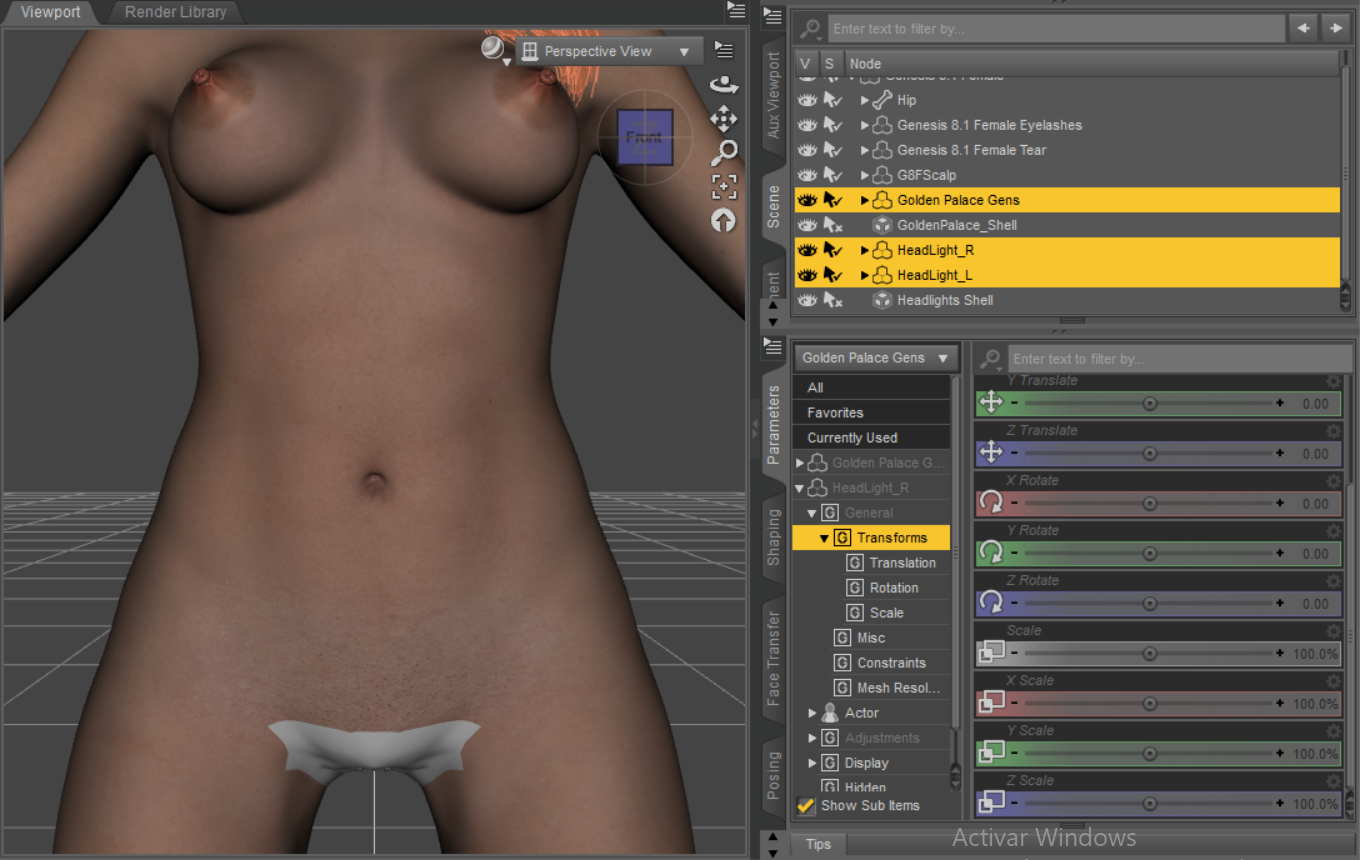
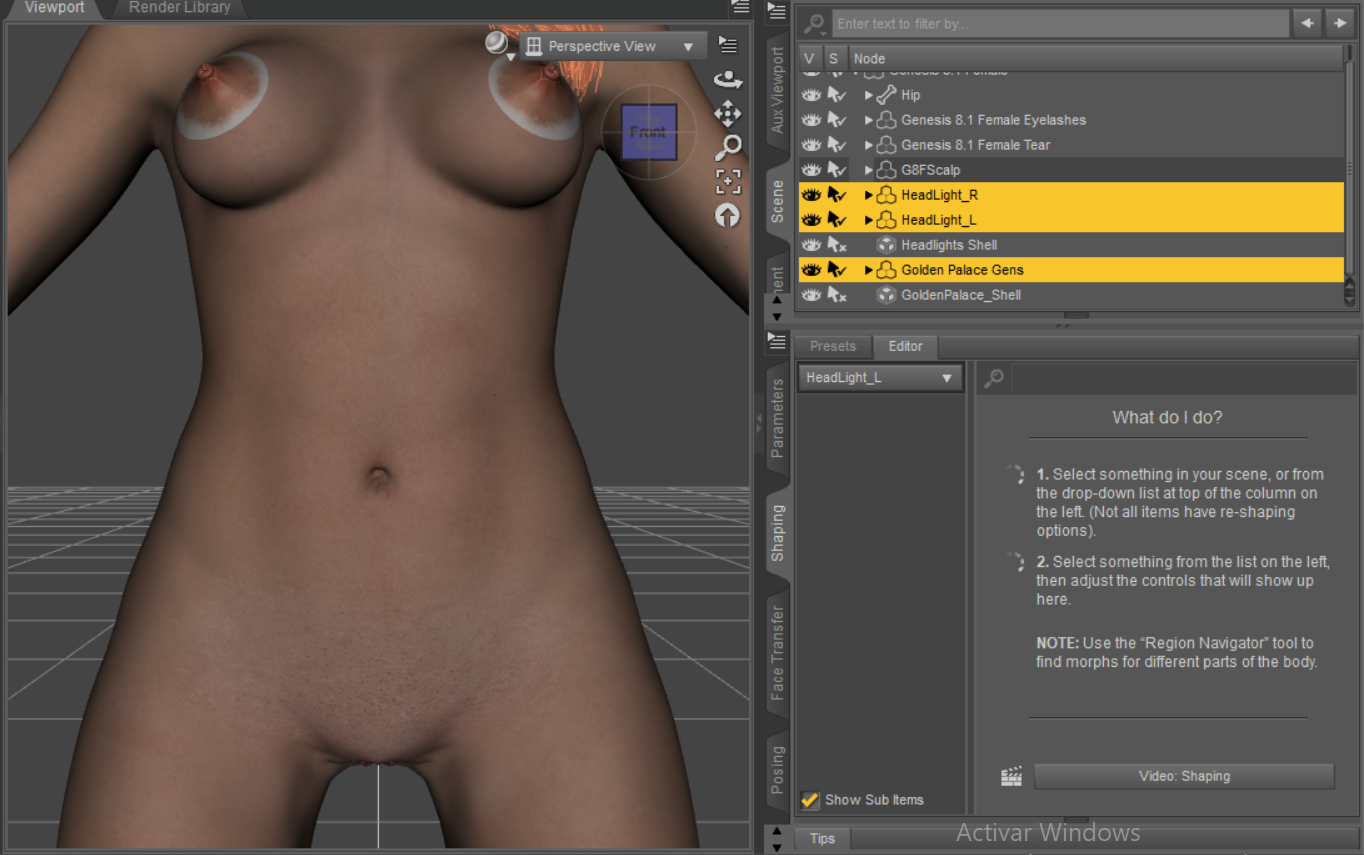
and also I already checked this doesnt happen with genesis 8 figures with those golden palace and headlights work flawlessly and the shell script v3 fixes the usual white issue, the problem only exists on genesis 8.1
|
|
|
|
|
|
Rank: Advanced Member
Joined: 12/10/2017(UTC)
Posts: 90
Thanks: 136 times
Was thanked: 48 time(s) in 39 post(s)
|
Remove any extra/duplicate shells if you have any at the time.
Go to the headlight shell and into parameters and turn off anything starting with WG_ that has to do with the vagina or anus (basically anything that golden palace affects), like WG_0_Left Labium Majora 1
Then go to the Golden Palace Shell parameters and turn off anything with Headlights in the name and anything starting with WG with pectoral or nipple in the name. Alternatively, you can go into the surfaces of golden palace shell and in the surfaces labeled headlights (there's two of them), turn Opacity Strength to 0 Edited by user Tuesday, January 28, 2025 9:28:16 PM(UTC)
| Reason: Not specified
|
|
|
|
|
|
Rank: Newbie
Joined: 12/16/2021(UTC)
Posts: 7
Was thanked: 3 time(s) in 3 post(s)
|
Originally Posted by: gmretoica623
Remove any extra/duplicate shells if you have any at the time.
Go to the headlight shell and into parameters and turn off anything starting with WG_ that has to do with the vagina or anus (basically anything that golden palace affects), like WG_0_Left Labium Majora 1
Then go to the Golden Palace Shell parameters and turn off anything with Headlights in the name and anything starting with WG with pectoral or nipple in the name. Alternatively, you can go into the surfaces of golden palace shell and in the surfaces labeled headlights (there's two of them), turn Opacity Strength to 0
alright yeah that worked, thank you very much
|
 1 user thanked carso150 for this useful post.
|
|
|
|
Renderotica
»
Store Products
»
Product Support
»
Meipe
»
issue with genesis 8.1 when trying to use golden palace and headlight at the same time
Forum Jump
You cannot post new topics in this forum.
You cannot reply to topics in this forum.
You cannot delete your posts in this forum.
You cannot edit your posts in this forum.
You cannot create polls in this forum.
You cannot vote in polls in this forum.