|
|
Renderotica
»
Store Products
»
Product Support
»
Meipe
»
Dicktator clothes bulge possible?
Rank: Newbie
Joined: 8/14/2018(UTC)
Posts: 5
Thanks: 9 times
Was thanked: 2 time(s) in 1 post(s)
|
I'm wondering if I can have daz3D somehow recognize the dicktator genitals when applying (dforce?) pants to a character. I've had some success with futalicious and dforce dresses when I lift them up before simulating but that's not really an option for pants. Maybe there's a way to, like, merge the dicktator gens into the character model and then pants recognize it? idk...
I know I could just make a bulge morph in zbrush but I'm pretty untalented when it comes to modeling, so I thought, you know, maybe there's a way to simulate what I need. Any help would be welcome! Thank you.
|
|
|
|
|
|
Rank: Advanced Member
Joined: 11/29/2013(UTC)
Posts: 840
Thanks: 69 times
Was thanked: 19 time(s) in 16 post(s)
|
I'm no expert with dforce, but as I understand it, the gens need to under the clothing, before you simulate. Problem is that most pants, including dforce-able, are too tight to be of any use. If you're only wanting to get a decent crotch bulge, you're better off using the default gens (no one will see it) and set your pants smoothing to 5 or 10. Here's one I prepared earlier (default gens, smoothing in the jeans and a lot of fiddling) - http://www.renderotica.c...ocket?artistname=butchsl How much can a Koala bear?
|
 1 user thanked butchsl for this useful post.
|
|
|
|
Rank: Advanced Member
Joined: 3/3/2015(UTC)
Posts: 2,135
Thanks: 104 times
Was thanked: 219 time(s) in 183 post(s)
|
Doing a full on banana impression like a Tom of Finland image is kind of outside the boundaries of the geometry. That is a lot of meat to smuggle in 3d pants that are normally extremely conforming. I don't know of any way to do that other than doing it all by hand.
There are one or two morph dials for sale that can create a "bulge" in pants, but they are kind of small and not impressive.
One thought that I've had towards Tom of Finland, however, was to say "Fuck it" to the geometry. Just pose a cock into the Thigh (clip right through as needed to make it work), then enlarge the thigh region of the pants before dForcing it.
Who cares if the Cock is clipping through the Thigh? dForce doesn't care... they just want a surface to fall on. It'll all be under the pants, so as long as it's sufficiently packaged, it might work.
I haven't run the experiment, though. I have a million renders already stacked up. And I doubt it'll look good for truly satisfying skinny jeans or leathers.
|
1 user thanked cheesymaid for this useful post.
|
|
|
|
Rank: Advanced Member
Joined: 12/18/2012(UTC)
Posts: 55
Thanks: 33 times
Was thanked: 30 time(s) in 23 post(s)
|
Ok, he best way to do something like this is to use the animation timeline.
1. On the first frame of the timeline, pose the Dicktator genitals in such a way that it's underneath the clothes. Anything goes; scale it down to nothing, have it clipping inside the body, doesn't matter just as long as it's completely underneath the clothes.
2. On the last frame of the timeline, pose the genitals how you want them to appear in the final render. The default timeline length is 30, which is fine, but you might want to increase this to something like 50 or even 100. You might also want to add some extra space at the end after the last frame just to let the cloth settle.
3. Under simulation settings, turn off "simulate from memorized pose" and set it to simulate the entire timeline.
4. Voila. As Daz goes through the timeline, the genitals will move into their intended place while colliding with the cloth.
Depending on the type of bulge you're going for, it helps if the outfit already comes with a bulge morph you can use to make sure there's some space in the clothes to fit the gens. If the outfit lacks this, you can use something like ZEV0's Fit Control to add bulge morphs to your outfits. You'll also probably need to use a smoothing modifer to neaten up the results if you haven't already.
|
3 users thanked NutSpectrum for this useful post.
|
|
|
|
Rank: Newbie
Joined: 8/14/2018(UTC)
Posts: 5
Thanks: 9 times
Was thanked: 2 time(s) in 1 post(s)
|
Thank you for your replies! I wasn't sure if I was going to get any, as I'm new here.
Originally Posted by: cheesymaid 
One thought that I've had towards Tom of Finland, however, was to say "Fuck it" to the geometry. Just pose a cock into the Thigh (clip right through as needed to make it work), then enlarge the thigh region of the pants before dForcing it.
See, that's just the thing, I don't know how to enlarge a region of the pants other than going to zbrush and making a custom morph. I tried that and the morphed region just stayed where it was, it didn't fall down with the rest of the "fabric" and didn't hug the skin. Of course I don't want to bother you if you already have so many projects running but if you got any suggestion there I'd try it out!
butchsl wrote:
I'm no expert with dforce, but as I understand it, the gens need to under the clothing, before you simulate. Problem is that most pants, including dforce-able, are too tight to be of any use.
If you're only wanting to get a decent crotch bulge, you're better off using the default gens (no one will see it) and set your pants smoothing to 5 or 10.
Here's one I prepared earlier (default gens, smoothing in the jeans and a lot of fiddling) - http://www.renderotica.c...ocket?artistname=butchsl
That looks very cool and I'll try to recreate that with your suggestions. I hope I can bother you some more if I can't get it to work ;D Thank you
|
|
|
|
|
|
Rank: Newbie
Joined: 8/14/2018(UTC)
Posts: 5
Thanks: 9 times
Was thanked: 2 time(s) in 1 post(s)
|
Originally Posted by: ntngear
Ok, he best way to do something like this is to use the animation timeline.
1. On the first frame of the timeline, pose the Dicktator genitals in such a way that it's underneath the clothes. Anything goes; scale it down to nothing, have it clipping inside the body, doesn't matter just as long as it's completely underneath the clothes.
2. On the last frame of the timeline, pose the genitals how you want them to appear in the final render. The default timeline length is 30, which is fine, but you might want to increase this to something like 50 or even 100. You might also want to add some extra space at the end after the last frame just to let the cloth settle.
3. Under simulation settings, turn off "simulate from memorized pose" and set it to simulate the entire timeline.
4. Voila. As Daz goes through the timeline, the genitals will move into their intended place while colliding with the cloth.
Depending on the type of bulge you're going for, it helps if the outfit already comes with a bulge morph you can use to make sure there's some space in the clothes to fit the gens. If the outfit lacks this, you can use something like ZEV0's Fit Control to add bulge morphs to your outfits. You'll also probably need to use a smoothing modifer to neaten up the results if you haven't already.
That is genius! I never would have thought of that but it makes so much sense! I'll try it out. One question: what's a smoothing modifier exactly?
|
|
|
|
|
|
Rank: Advanced Member
Joined: 9/15/2012(UTC)
Posts: 621
Thanks: 304 times
Was thanked: 396 time(s) in 255 post(s)
|
Originally Posted by: bbp
One question: what's a smoothing modifier exactly?
Some clothing items come with a smoothing modifier, some do not. If they do, it will be found under the parameters tab. Select 'All' at the top, and if it has a smoothing modifier already, you'll see 'Enable Smoothing' in the parameters, with a button that is usually defaulted to 'On'. If it's 'Off', click it to on. Below that, there will be two sliders, one will be called 'Smoothing Iterations'. and the other will be 'Collision Iterations'. Bump these measures up a bit and see what happens. Usually it will improve the clothing's coverage. Don't go too high, though. It can get weird. If the clothing has an 'Expand All' morph, play with that, too.
Now, if the clothing item does NOT have a smoothing modifier built in, you can add one. Select the item and go to your 'Edit' tab at the top of the screen. Click it, and go down to 'Figure'. Hover over that and it will open a submenu. Go down to 'Geometry' and hover again. Another submenu will open, and you will see an option that says 'Add Smoothing Modifier'. Click it. That's it. You're done. Go back to the parameters tab for your clothing item and the additional options will be there.
Now have fun. :)
|
2 users thanked matt for this useful post.
|
bbp on 7/27/2019(UTC), Meipe on 7/29/2019(UTC)
|
|
|
Rank: Advanced Member
Joined: 1/16/2016(UTC)
Posts: 332
Thanks: 15 times
Was thanked: 122 time(s) in 77 post(s)
|
Another trick is to use SickleYield's Clothing Morpher (link)
It act's as a go between to add morphs to existing clothing or clothing you create. It has more poly's than the base mesh of g8m, and you can also sub-d it, export/import, then asset transfer from the original to the new sub-d one. The trick is to either sculpt onto that the the shape of the cock you want or an area that the dicktator will live under. You can then export/morph load the new shape and voila, permanent replicatable bulge morph. Then you could d-force it if you want.
Conversely, you can also fit the suit to the g8m with dicktator and then smooth against it and then hide g8m and export the suit and use that as a morph.
Granted, if we're talking a 2 foot long penis with the girth of a watermelon, you may have some issues getting the suit to fit and smooth against it.
That's how I have a custom genital morph for all my clothes that has a fat mushroom head. There's no gens in the below shot, that's just the morph dialed into the clothing after transferring it from the Clothing Morpher suit to the Rugby Shorts
Edited by user Sunday, July 28, 2019 10:42:22 AM(UTC)
| Reason: Updated with example
|
2 users thanked SnarltheWerewolf for this useful post.
|
bbp on 7/29/2019(UTC), Meipe on 7/29/2019(UTC)
|
|
|
Rank: Advanced Member
Joined: 3/3/2015(UTC)
Posts: 2,135
Thanks: 104 times
Was thanked: 219 time(s) in 183 post(s)
|
What will fit versus what is good in art?
I don't have those other things, but Tom of Finland is the standard for bulges, IMO. This is what should be aspired to, even if I doubt a good deal of it is likely not possible in the Daz software... to the point where I think good PhotoShop skill is probably the best choice of all. Edited by user Sunday, July 28, 2019 11:03:42 AM(UTC)
| Reason: Not specified cheesymaid attached the following image(s):
|
1 user thanked cheesymaid for this useful post.
|
|
|
|
Rank: Advanced Member
Joined: 3/3/2015(UTC)
Posts: 2,135
Thanks: 104 times
Was thanked: 219 time(s) in 183 post(s)
|
Okay, just as a thought experiment, also somewhat thinking about Smoothing iterations from butchsl's comment, I grabbed a Genesis 8 figure for a quick test to see if I could do Tom of Finland-style banana smuggling.
It kind of works just on Smoothing/Conforming alone. You have to be smart about geometry (clip the dick through the thigh a little, like I said) and increase smoothing/collision tests.
These aren't the best pants to do the look so I didn't render. You'd want glossy leathers, I think, rather than matte denim. cheesymaid attached the following image(s):
|
2 users thanked cheesymaid for this useful post.
|
bbp on 7/29/2019(UTC), Meipe on 7/29/2019(UTC)
|
|
|
Rank: Newbie
Joined: 8/14/2018(UTC)
Posts: 5
Thanks: 9 times
Was thanked: 2 time(s) in 1 post(s)
|
I tried my hand at this and have some initial results. I thought I'd start out with something easy, so I tried out the methods described in this thread with an evening dress. The dress was dforce but there was no way to lift it up far enough to make it drape over a cock. So I scaled the gens down by 120% and had it grow to full size over the course of 90 frames + 10 to let it all settle.
The initial result didn't look perfect:
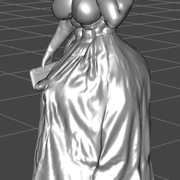
You can see that the cloth deformed properly up to a point but then it seems to "stretch out" improperly and at the very end the tip of the penis is showing through. I tried rendering it anyway and this is what I got:
 
Now that looks the way it should! (If you ignore the problem with the blouse in the second shot, I didn't really take care of that)
So that's a success! Thanks for the help, everyone. I'll write out the settings I used if anyone is interested. It took some tweaking.
I'm now simulating a shot with a pants bulge and I'll post the results when I have them.
|
|
|
|
|
|
Rank: Advanced Member
Joined: 12/18/2012(UTC)
Posts: 55
Thanks: 33 times
Was thanked: 30 time(s) in 23 post(s)
|
Good to see it's working for you! I've had issues with polygons stretching before, and that's why the smoothing modifier can be helpful. Also, if your PC can handle it, you can try changing the simulation settings to use "best" rather than "better". It'll take longer, but there's usually less pokethrough and the like.
|
1 user thanked NutSpectrum for this useful post.
|
|
|
|
Rank: Advanced Member
Joined: 9/15/2012(UTC)
Posts: 166
Thanks: 121 times
Was thanked: 80 time(s) in 65 post(s)
|
Squarepeg3d did some Futalicious Bulge morphs for showing the undertrouser bulges. Go to the link below and look in the 'Originals' folder. In there there is a file called Futalicious Bulge Morphs. This gives various pose morphs for Futalicious with corresesponding morphs on Genesis 8 Female called Clothing - Bulge Assist morphs for projection into clothing.
https://drive.google.com/drive/folders/0BwixlTkaWzFMSjJKZjRPaTlkVWc
I have linked the top level of the folder because if you don't know squarepeg3d's work then you might want to have a browse around.
Edited by user Monday, August 5, 2019 5:13:36 AM(UTC)
| Reason: Get rid of type formatting from pasting the link
|
1 user thanked haruchai for this useful post.
|
|
|
|
Rank: Newbie
Joined: 8/14/2018(UTC)
Posts: 5
Thanks: 9 times
Was thanked: 2 time(s) in 1 post(s)
|
My setup for the next test looked like this:

This resulted in the following bulge:
 
It works! But it's too subtle, still, for me. ;D So it seems like you need to exaggerate the penis a lot to get the kind of bulge that really stands out, Tom of Finland style.
Now that I know how to do this I can get creative, like so:
 
So thanks again for all the help.
@haruchai I know of Squarepeg3D but didn't know about this set of morphs. Thanks a lot! Edited by user Sunday, August 4, 2019 10:38:42 AM(UTC)
| Reason: Not specified
|
2 users thanked bbp for this useful post.
|
|
|
|
Rank: Member
Joined: 4/16/2019(UTC)
Posts: 14
Thanks: 3 times
Was thanked: 3 time(s) in 3 post(s)
|
Originally Posted by: bbp My setup for the next test looked like this: This resulted in the following bulge: It works! But it's too subtle, still, for me. ;D So it seems like you need to exaggerate the penis a lot to get the kind of bulge that really stands out, Tom of Finland style. Now that I know how to do this I can get creative, like so: So thanks again for all the help. @haruchaiI know of Squarepeg3D but didn't know about this set of morphs. Thanks a lot! That body morph is amazing. Can you share where I can find it?
|
|
|
|
|
|
Rank: Advanced Member
Joined: 3/3/2015(UTC)
Posts: 2,135
Thanks: 104 times
Was thanked: 219 time(s) in 183 post(s)
|
One more in case this gets me kicked off the Daz boards, I post the same thing here.
I increased Smoothing Iterations to 10 to get the pants to flow over the dick.
EDIT: Yes, this is Diego 8 with some body hair props as well. cheesymaid attached the following image(s):
|
|
|
|
|
|
Rank: Member
Joined: 12/18/2018(UTC)
Posts: 24
Thanks: 17 times
Was thanked: 4 time(s) in 3 post(s)
|
Since the cock isn't actually going to be visible, couldn't this be achieved by using the D-Form tool to pull out the cloth into a form that looks like a bulge? You don't actually need the dick at all, just the illusion of one.
|
|
|
|
|
|
Rank: Advanced Member
Joined: 9/15/2012(UTC)
Posts: 1,513
Thanks: 1276 times
Was thanked: 1466 time(s) in 722 post(s)
|
If you don't need a detailed sausage like the one in the pic posted by snarl, but a very simple bulge, sure.
|
|
|
|
|
|
Rank: Advanced Member
Joined: 12/18/2012(UTC)
Posts: 1,200
Thanks: 226 times
Was thanked: 134 time(s) in 121 post(s)
|
Sorry to revive this thread, but I have been thinking/working on this and here is my latest attempt.
This is Dicktator under Dforce swim shorts for Genesis 8, which has a surprising amount of quality fitting morphs to it, plus I use Fit Control to help tweak it more.
The idea here was to show wet shorts, kinda see through and over Dicktator, this is the result.
|
1 user thanked sumigo for this useful post.
|
|
|
|
Renderotica
»
Store Products
»
Product Support
»
Meipe
»
Dicktator clothes bulge possible?
Forum Jump
You cannot post new topics in this forum.
You cannot reply to topics in this forum.
You cannot delete your posts in this forum.
You cannot edit your posts in this forum.
You cannot create polls in this forum.
You cannot vote in polls in this forum.
|